Within the Reporting Services tool there’s the ability to store execution logs when a report is ran. This can be particularly useful from an auditing perspective whether that be to see if reports are no longer in use, or if they contain some degree of sensitive information and want to understand who may have accessed this.
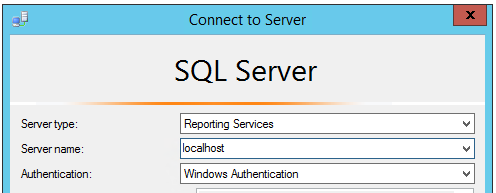
To enable the execution logs you should first connect to the Reporting Services instance via Management Studio noting to change the Server Type field:
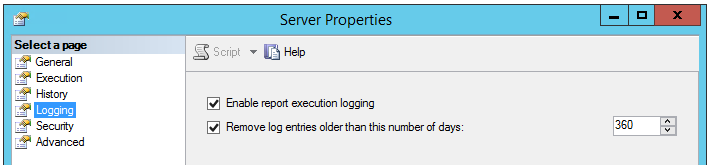
Once connected to the Reporting Services instance you should open the properties on the root node and under the Logging heading you’ll find the ability to enable the logging as well as setting the retention period of these:
The information contained within the execution log includes the user, the time of the request, how long it took to retrieve/process the data, and how many records were returned amongst many. These details can be very useful if you’re seeing performance issues and you want to understand which reports are grabbing the most data or running for the longest time for example.
Although it may sound obvious, these logs do require storage so it’s worth keeping an eye on the size of the database if the report server is heavily used or you extend the retention period.
Below is an example of a query against the execution log to look at some basic metrics for reports which have recently being ran – note that the details about the report such as the name and path are within the Catalog table which we need to link to:
SELECT
       TOP 100
       c.Path,
       e.Format,
       e.Status,
       e.UserName,
       e.TimeStart,
       e.TimeDataRetrieval,
       e.[RowCount]
FROM
       dbo.ExecutionLog e
       INNER JOIN dbo.Catalog c ON e.ReportID = c.ItemID
ORDER BY
       TimeStart DESC
Depending on the version of SQL Server you’re running there may be different views you can see to report on these executions but the ExecutionLog view is the original one which should be available regardless. For more details on the additional views and thee extra details they provide you can see this article.
 Andy Brownsword