
When using Power BI or Fabric workspaces to browse reports, we’re greeted with a list of items and their attributes. While attention is given to report visuals such as bars, pies, candles, and RAG highlights, the surrounding experience is neglected. When it comes to consumption, the standard interface falls short.
Apps fill this gap. They’ve been around in Power BI for a while, but with the additional layers that come with Fabric, the need for a clean way to present content is increasingly valuable.
Apps allow us to compile content, organise its layout, and share with other users. But all apps are not equal. In this post we’ll look at the two different app types, and where each is more effective.
Workspace apps
Each workspace in Power BI and Fabric can contain a Workspace App. Because the app is tied directly to a workspace (as the name implies), there’s a 1:1 correlation. You can only have one per workspace.
You’ll see the option to create this in the header for the workspace:

Within the app you’ll have 3 panes to configure:
- Setup – to customise the look and feel of the app
- Content – to add sections (think subfolder) and reports to display
- Audience – to define access and which users have access to specific sections or reports
Content for Workspace Apps will be based on reports in the same workspace. They can be added, reordered, and logically separated by using sections as folders. These reports are versioned copies, so once your app is published, you can make modifications to a report without breaking the app they’re published in. Once the report is ready to go you can refresh your app and it’ll include the latest version.
A superpower of Workspace Apps comes from their ability to define audiences. A single collection of reports in the app can service multiple audiences. Each audience can have access to different reports which suit their role. This allows a single Workspace App to serve multiple purposes.
Workspace Apps are great and there’s plenty of use cases where they can work well. For some situations though, we want something different, and that’s where Org Apps come into play.
Org apps
The newer flavour of apps comes in the form of the Org App. Unlike a Workspace App which has the 1:1 relationship, an Org App resides in the workspace alongside reports and other items. A workspace can have multiple Org Apps.
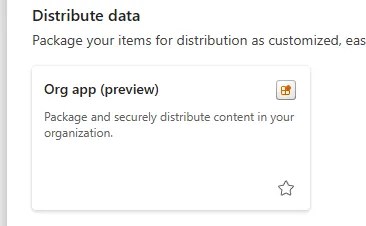
Creating an Org App is via the New Item interface, like how we’d create a notebook or pipeline:
When building the app, the default view is focussed on the content. You can add items from the workspace and create sections like with the Workspace App. The toolbar also has a Customize menu option to alter the look and feel, and access settings are controlled under the Share menu.
That’s all very similar to Workspace Apps, but I’d argue it’s a nicer experience.
One addition with the Org Apps is the Overview item which can be added and acts as a hub page, as it contains links to all items in the app. This can be used with the ability to hide the pane of items to present a specific navigation experience. Unfortunately there isn’t more customisation around these so you can’t add your own narrative or customise the landing page further such as branding.
Finally, with Org Apps being workspace items, a big draw for them is that they can now be version controlled and deployed via pipelines.
Org Apps are still in preview, so there are features that are still cooking. Through 2025 they’ve added support for paginated reports, and availability in Power BI Mobile. Earlier in the year the team mentioned support for the Audience feature from Workspace Apps may be coming too, so it’s worth keeping an eye on these if they’re nearly-but-not-quite-what-you-need right now.
Key differences
Workspace Apps and Org Apps have broadly similar functionality, but they also have many differences which make them particularly suited to different tasks. Here are a few of the key points to consider:
- App count – Only 1 Workspace App is available per workspace, ideal with a lot of content overlap between consumers. Multiple Org Apps are available per workspace, great for multiple teams with very different perspectives (Finance vs. HR vs. Operations)
- App Content – Workspace Apps are limited to report items whereas Org Apps allow more variety, such as notebooks
- Access – Org Apps will automatically grant and revoke access to resources when users are added and removed. With Workspace Apps these actions must be taken manually
- Up to date reports – Workspace Apps use versioned copies of reports to allow parallel development. Org Apps will always show the latest, for better or worse
As you can see, being the newer flavour, the Org Apps have distinct advantages when compared to the Workspace Apps. One standout feature for the Workspace App is the Audience tooling which is extremely powerful if you have department level workspaces and want to tailor visibility to roles within the department for example.
Outside of that particular use case though, the Org Apps shine. They are easier to use with automating access control, easier to manage due to having a fixed purpose, and more flexible by allowing more items to be presented.
If you’d like to look into the differences further check out this section of the documentation.
Wrap up
Using apps in the Power BI and Fabric services allow us to provide a curated, branded, consistent view of workspace items to a select audience – without the friction of the regular service front-ends. They’re an ideal entry point for consumption-first users.
Here we’ve looked at the options of Workspace Apps and the newer Org Apps. Whilst Workspace Apps have their place, they are typically out-shined by the Org Apps. The feature set for Org Apps is slowly growing and we don’t quite have parity with Workspace Apps in some areas yet (audiences), but they’ll continue to evolve through their preview life.
Presenting BI content effectively isn’t solely about the visuals, it’s also about the experience around them. These Apps fill that gap by providing a consistent presentation layer. Which option is right for you will depend on your requirements but both are worth checking out.
 Andy Brownsword
One reply on “Elevate Report Presentation with Apps in Power BI and Fabric”
[…] Andy Brownsword deploys an app: […]